Providing Liquidity (Vaults)
This page explains how liquidity works in 0xRoulette: what a Vault is, how provider earnings accrue, the one-time fee for creating the first Vault, when and how the payout reserve is distributed, and how to manage your position via the web interface.
Key Concepts
- Vault — A liquidity vault for a single token. Each token has its own Vault.
- Liquidity Provider — A user who deposits tokens into a Vault and earns from bets placed in that token.
- Provider Capital — Your current contribution to a Vault’s liquidity.
- Payout Reserve — A buffer that stabilizes payouts during volatility; it grows from game economics and fees.
- Vault Status — A quick health indicator (e.g.,
Adequate,Healthy), derived from capital and reserve ratios.
Protocol is Fixed
The protocol's program authorities are revoked, and its rules are not mutable.
What You Need to Start
- The token you want to provide liquidity in.
- Some SOL for network fees (and a one-time fee if you create the first Vault for a token).
- An understanding of bankroll risk: short-term drawdowns are possible; returns come from statistics over time.
Cost of Creating the First Vault
When you create the first Vault for a token, a one-time fee of 0.54 SOL is charged. This applies once per token. Afterwards, you and others can add/withdraw liquidity without this fee.
How to Provide Liquidity (via the Web App)
- Open Vaults.
- Select your token and an existing Vault, or click Create Vault if none exists for that token.
- Enter the token amount and confirm (Provide Liquidity).
Once deposited, the page shows your active liquidity (Provider Capital), your available earnings, and the Vault status.
How Provider Earnings Work
From every bet placed in your token, providers earn 1.6% — regardless of whether the bet wins or loses.
- Earnings accumulate automatically and appear as available earnings in the UI.
- Within a Vault, earnings are split among providers proportionally to their share of total liquidity.
The formulas are straightforward:
- Your share =
Your capital/Total vault liquidity - Your accrual =
Your share×Amount being distributed
Payout Reserve and Distributions
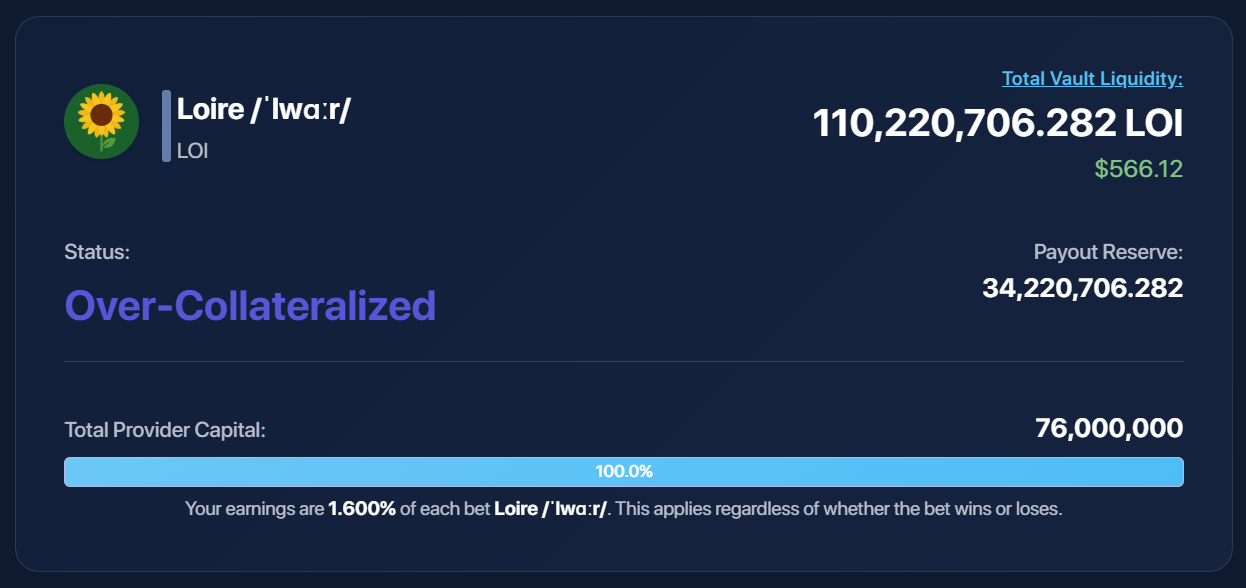
The Payout Reserve cushions payouts during volatile streaks. If the reserve becomes clearly excessive, a distribution is triggered.
- How much? 50% of the current reserve is distributed.
- Who receives it?
- 50% of the distributed amount goes to the protocol owner.
- 50% goes to all providers proportionally to their liquidity share in that Vault.
- When is it triggered?
- A reserve distribution may be initiated when the Vault status reaches Over-Collateralized (i.e., the reserve clearly exceeds what’s needed for stable payouts).
In Plain Terms
The distributed amount is “split in half between the team and the providers,” with the providers’ half split by contribution. The distribution is initiated manually when the reserve evidently exceeds what’s needed for stability.
How to Collect or Exit
- To collect earnings and keep your position — click
Collect Fees. - To fully exit (withdraw capital and earnings) — click
Withdraw Liquidity.
Examples
1) Earnings from Each Bet
- Total vault liquidity: 10,000,000 LOI
- Your capital: 2,000,000 LOI (20% share)
- A player bets 1,000 LOI
- Providers earn: 1.6% × 1,000 = 16 LOI
- Your part: 20% × 16 = 3.2 LOI
2) Excess Reserve Distribution
- Current Payout Reserve: 1,000,000 LOI
- Distributed amount (50%): 500,000 LOI
- Protocol team receives: 250,000 LOI
- Providers (by share) receive: 250,000 LOI
- Your 20% share ⇒ you receive 50,000 LOI
Risks
This is Not an AMM
You’re participating in the game’s bankroll. Short-term drawdowns can occur; the reserve reduces but does not eliminate volatility. Consider your time horizon and position size; don’t allocate more than you’re comfortable holding over time.